Context
Forum Education is a New York tutoring firm that runs like a talent agency. Of more than 3,000 applicants it has accepted under 2%. Its 45 tutors average fifteen years of experience, and most of its students test at or above the 99th percentile. It’s been tutor-owned since 2023 and pays tutors over 80% of fees. Its diagnostic, Forum Lens, reads a student’s performance patterns out of mock tests so the tutoring can be aimed.
The tutors are the product, and their time is the expensive part. Every session has to be logged, for billing and for the family. Every mock test has to be scored and turned into a Lens report. Every student has a record a tutor needs before walking in: intake notes, learning differences and the accommodations that follow from them, who in the family to call and who not to text. Forum wanted a native app for that work, Forum Logbook, on iPhone and Mac.
Short contract, rapid turnaround, me as the only designer, the founder as product owner. The scope was the whole product: what it should be, both platforms, every state, and the design system under it.
Contribution
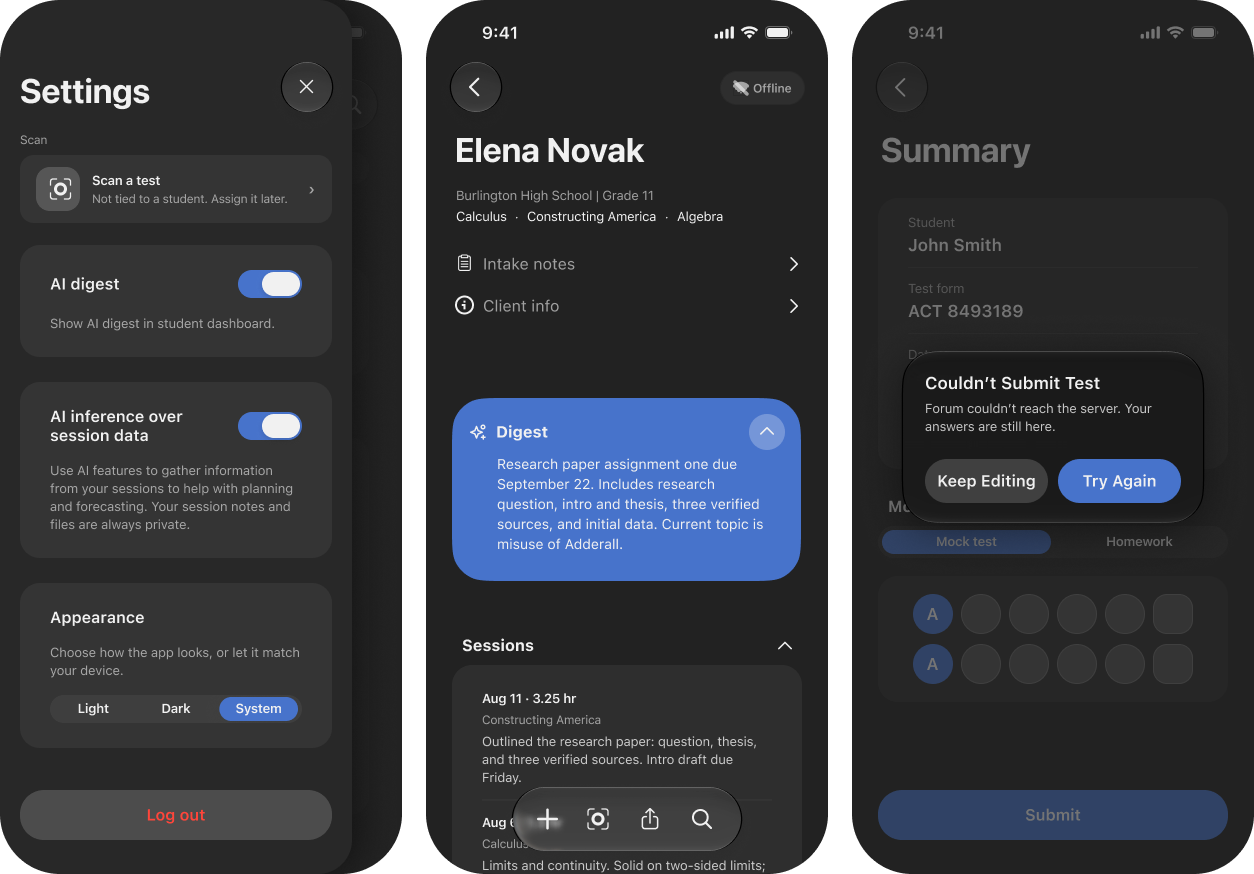
I defined the product with the CEO before I drew it. We worked through what a tutor actually does in a week and what the back end could and couldn’t do, and the file carries that conversation. What a tutor sees when a list is empty. What happens offline. What happens when the signed authorization for a file upload expires, or when the queue that generates a Lens report times out and the app has to stop waiting without losing the test. I pushed for each of those to have a designed answer before the happy path was polished. An app used in the minutes between sessions fails most visibly at its edges. The cost was a slower start on the screens the CEO wanted to see first.
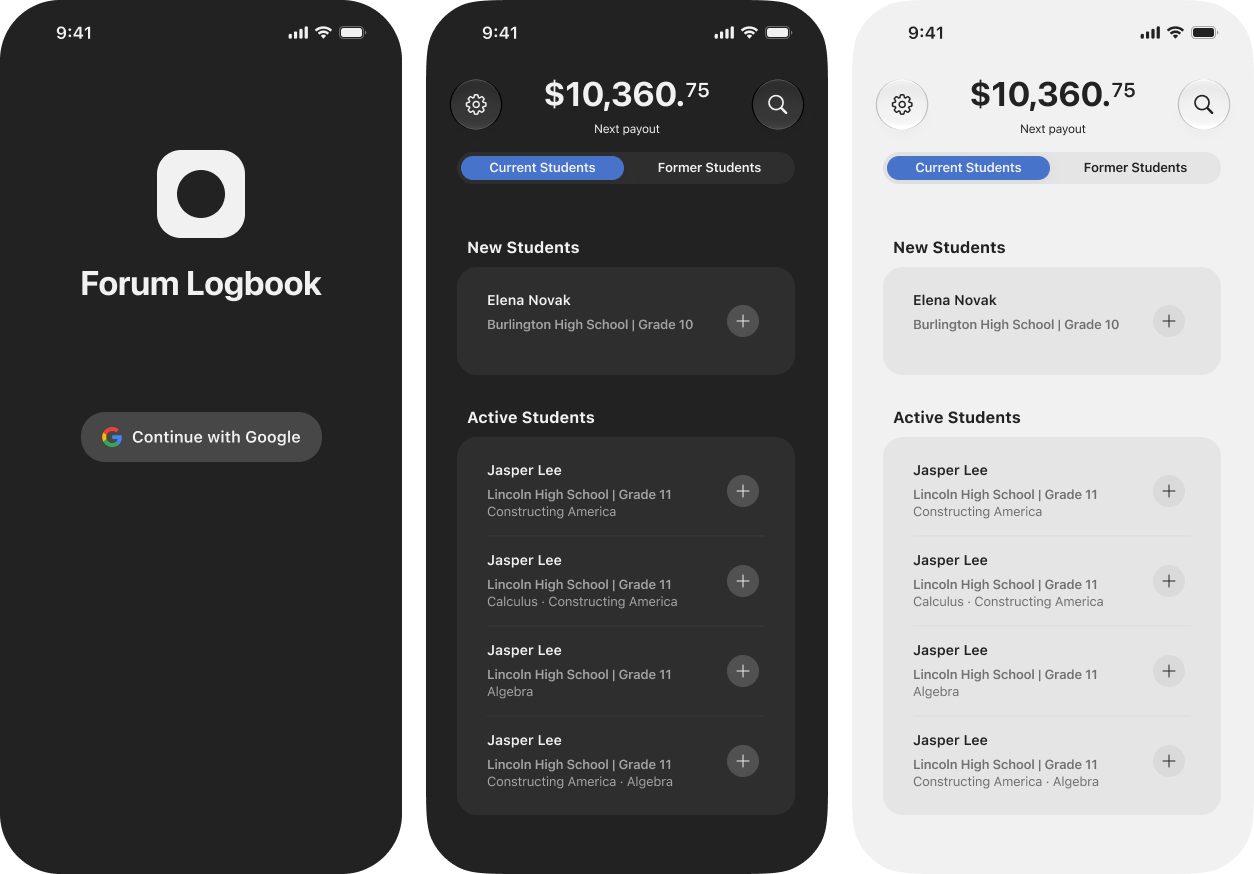
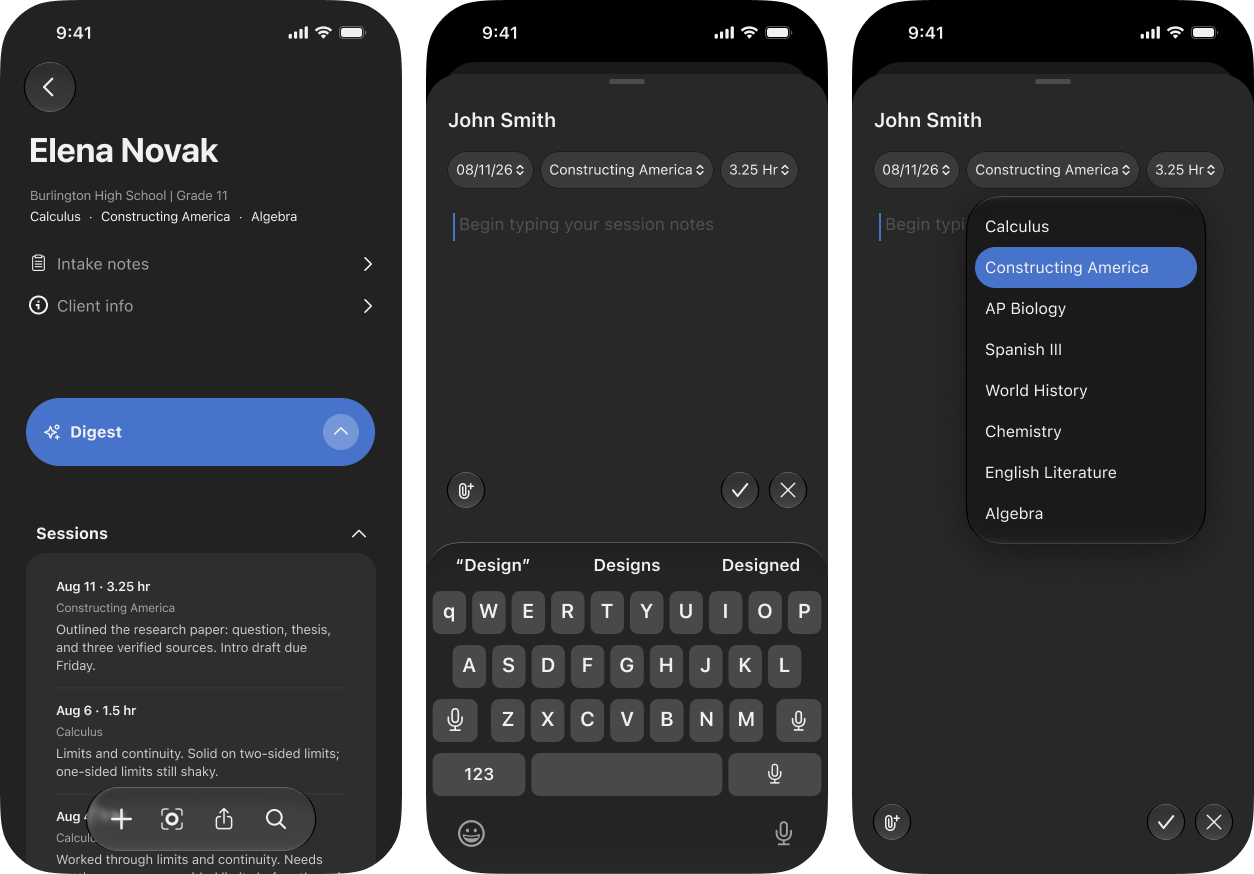
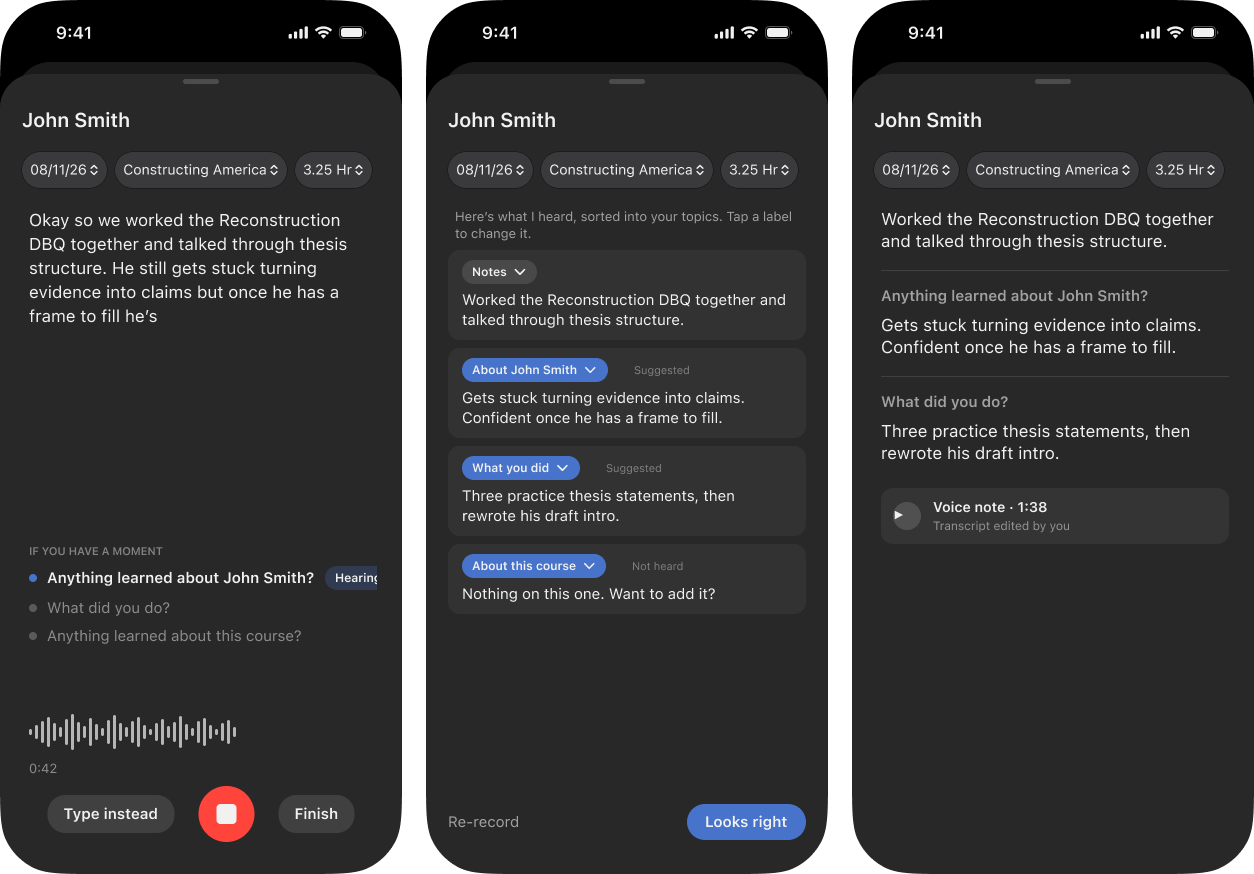
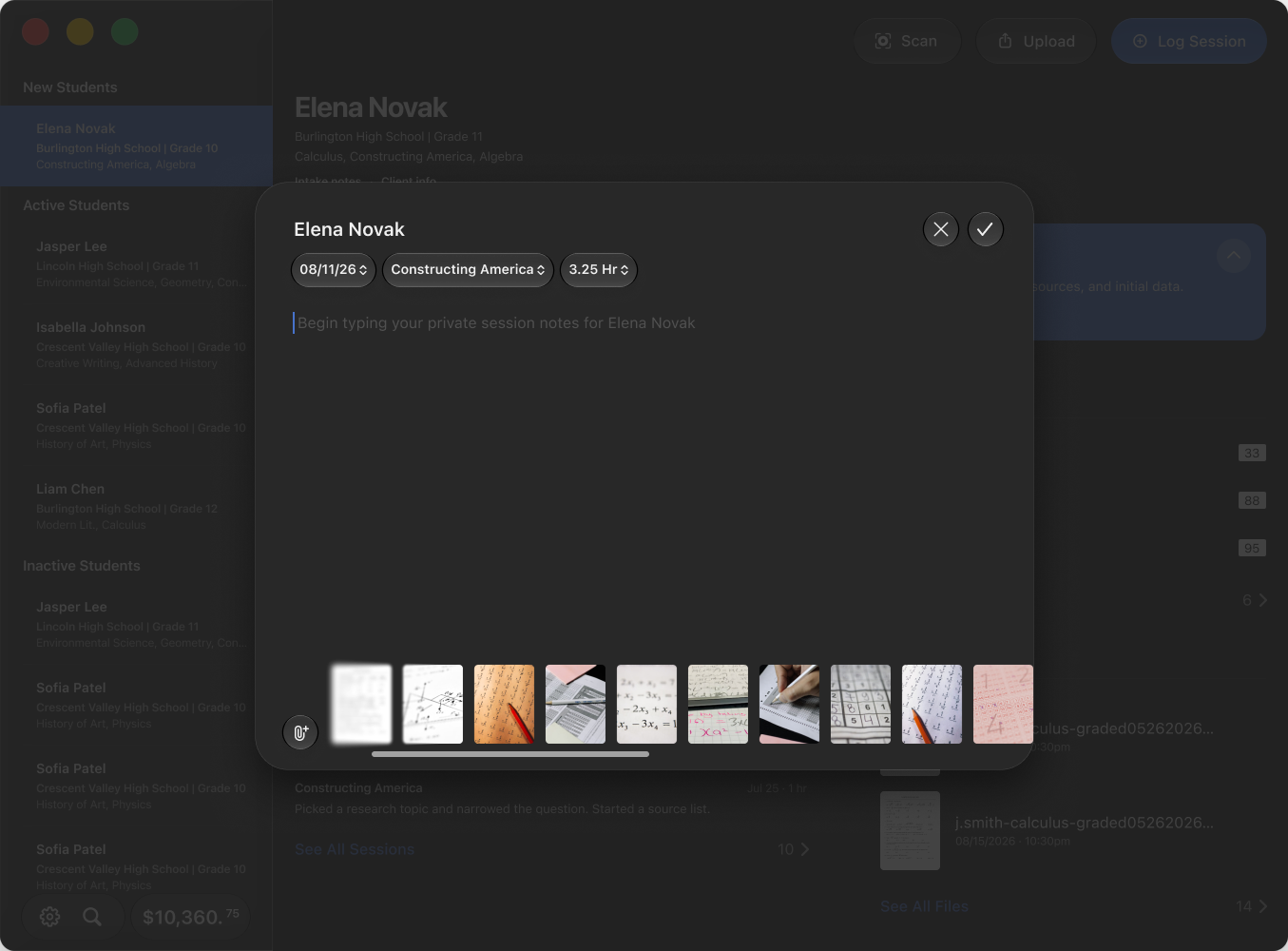
The dashboard opens on the number a tutor cares about, the next payout, then the students: new, active, former. A session is added from the student’s row and takes a date, a subject from the student’s list, a duration in quarter hours, the notes, and whatever was photographed or handed over. The later iterations push the notes themselves: a walkthrough that asks three questions when the box is empty, topics the note files itself under, and a voice mode that records the tutor talking it through and sorts the transcript into those sections, so the note gets written in the car.
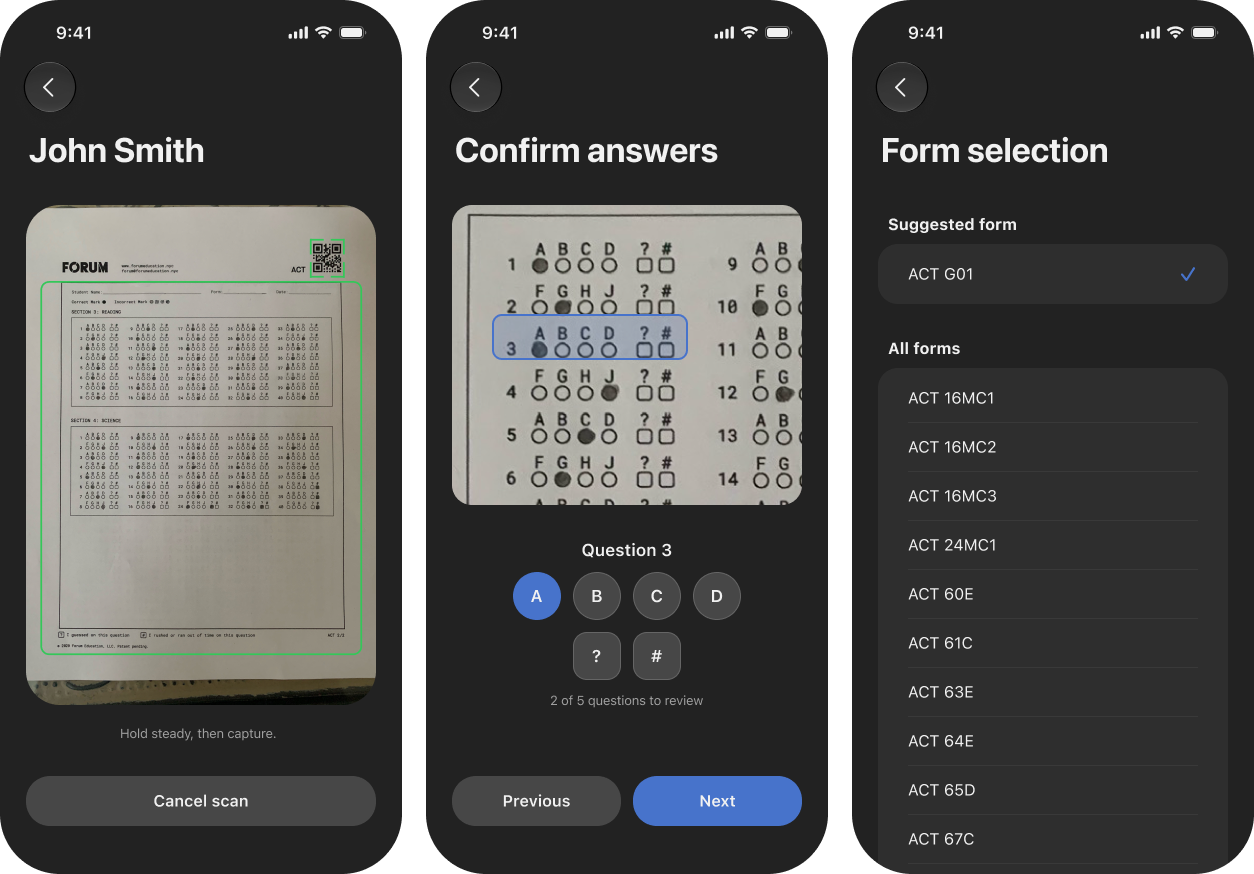
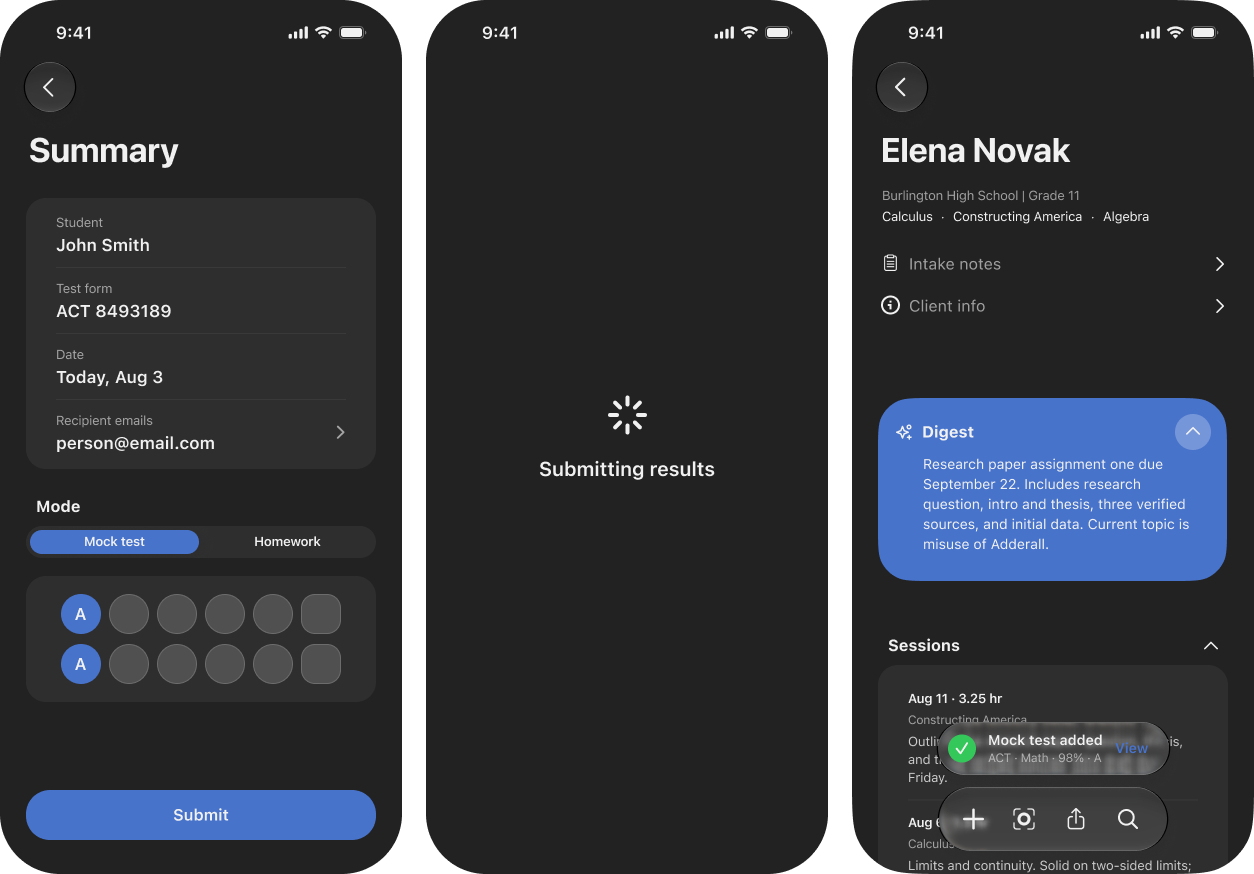
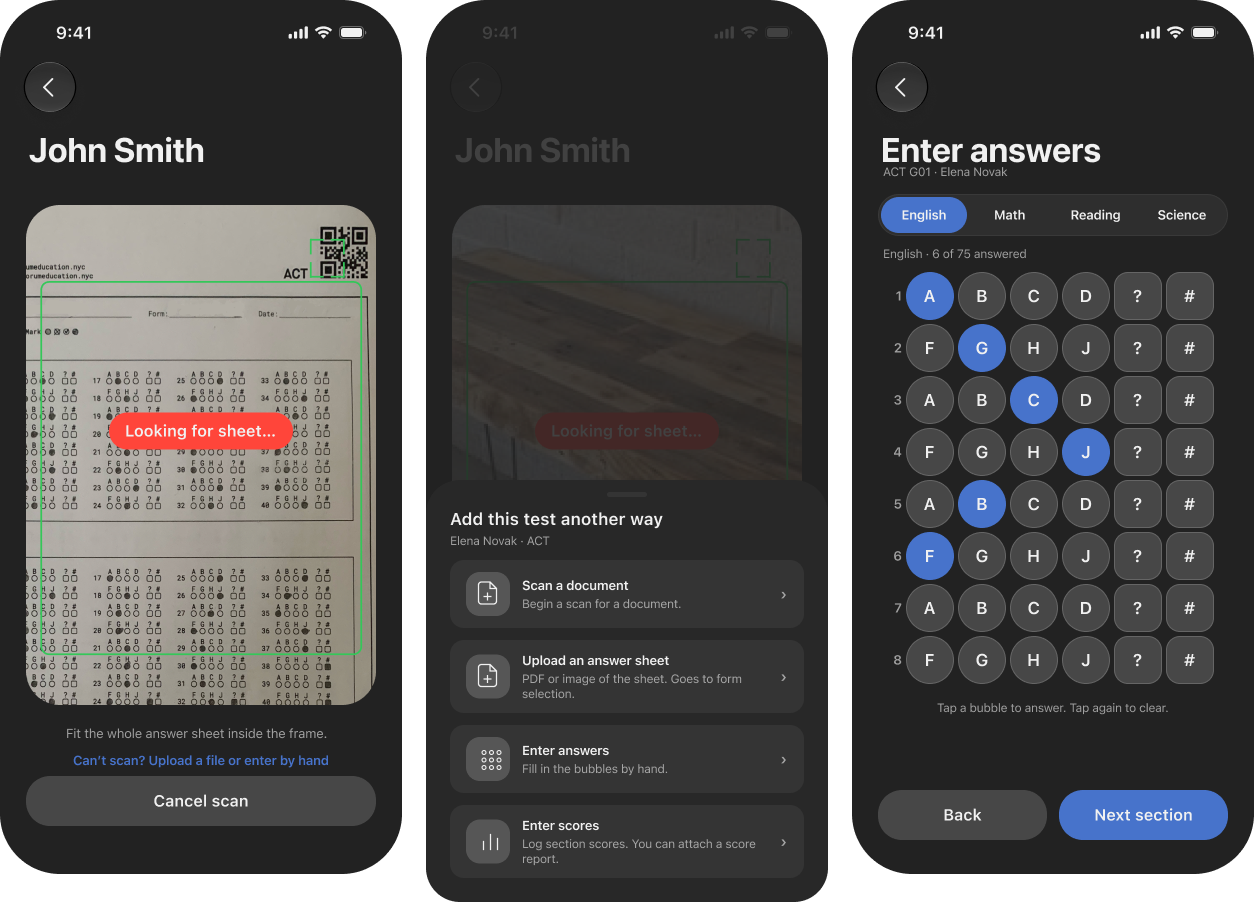
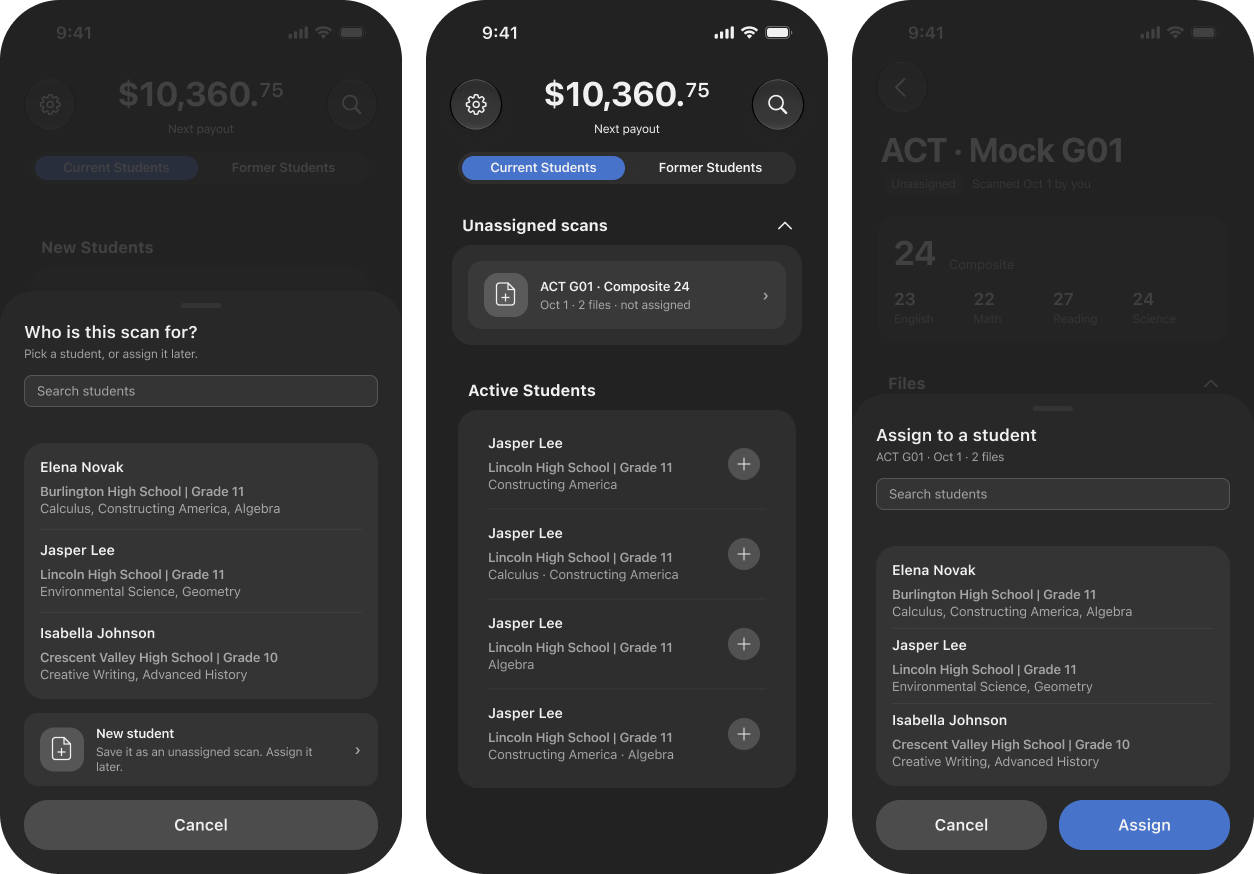
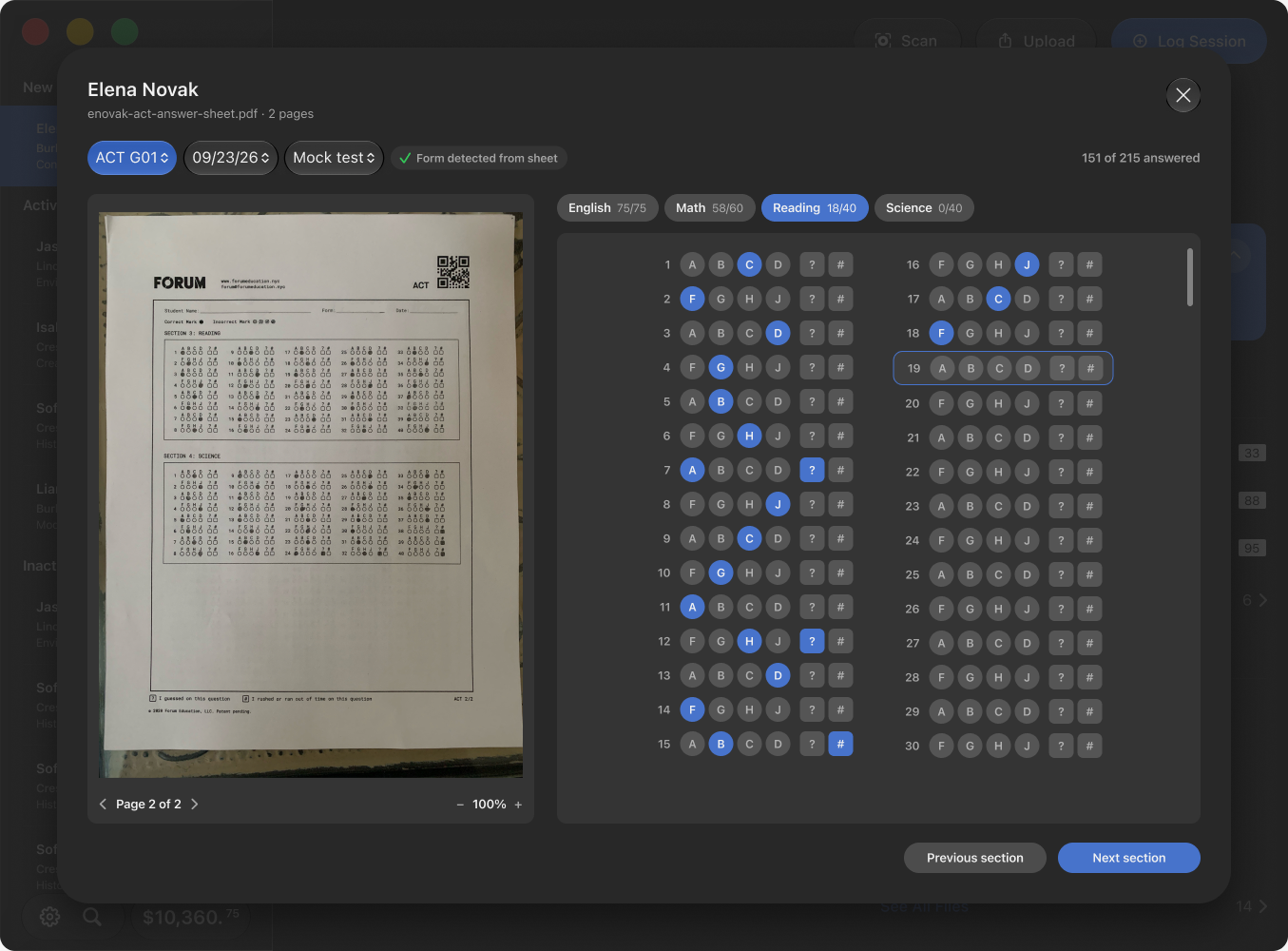
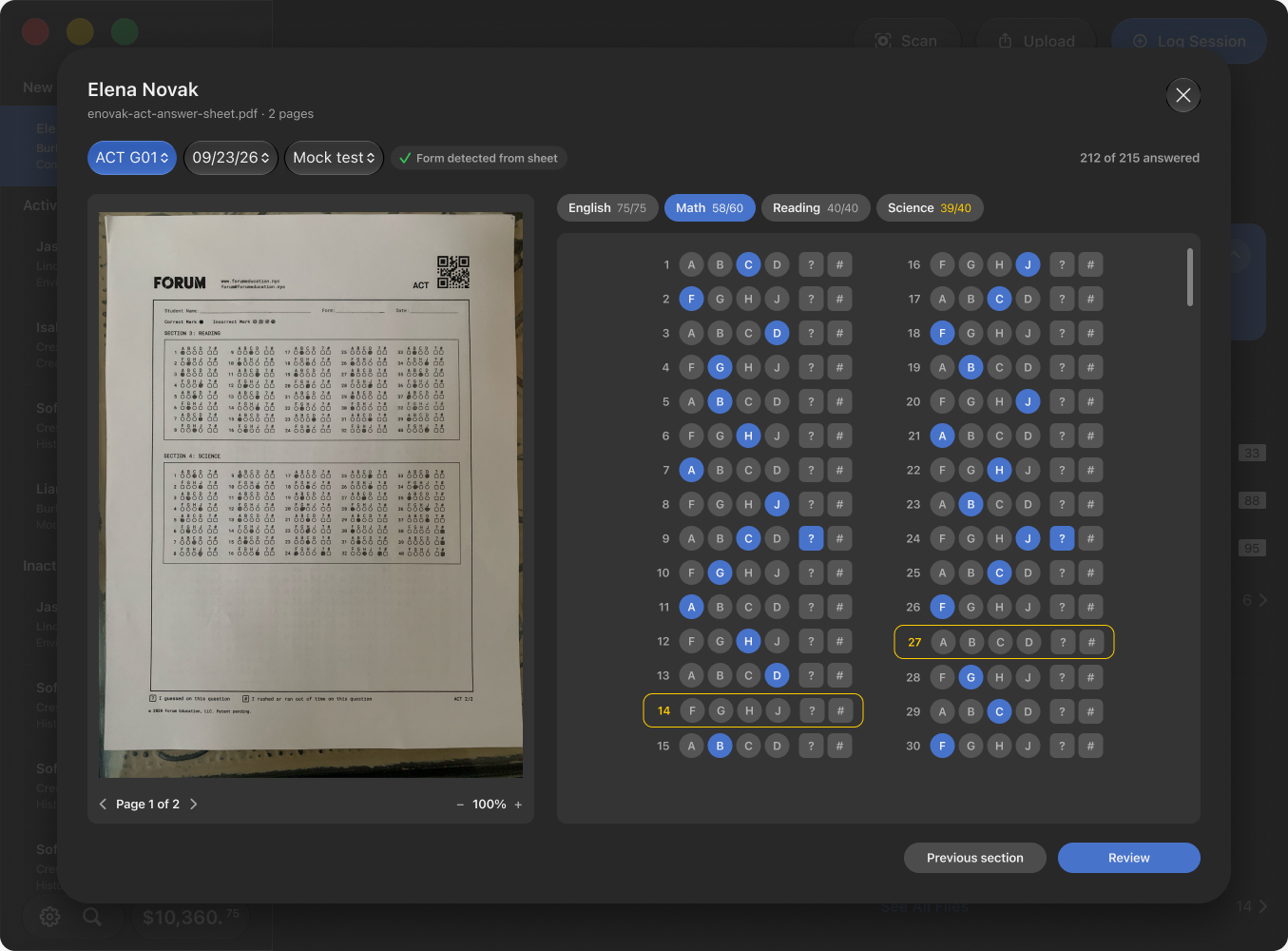
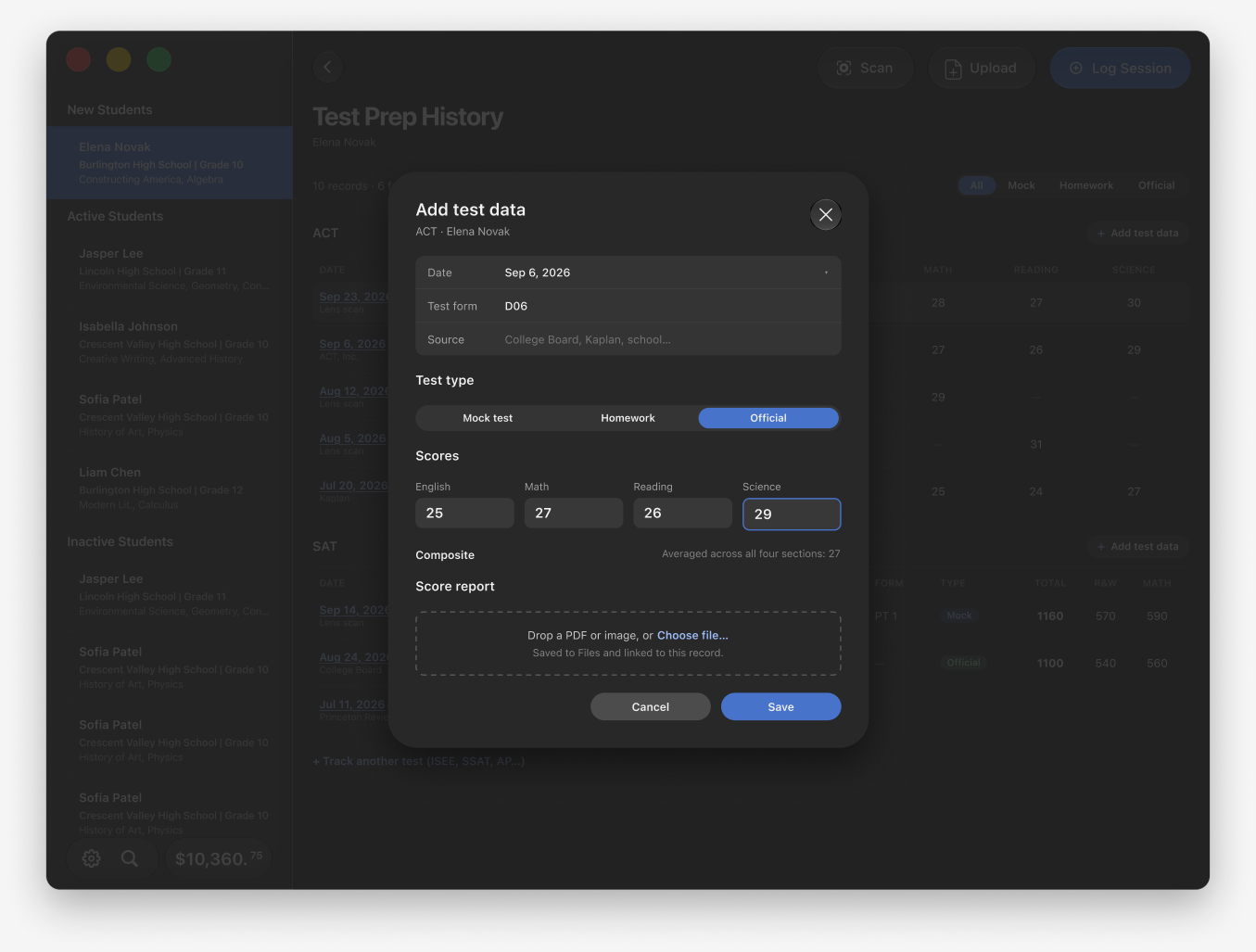
Mock tests are the heart of the app. The tutor points the camera at the answer sheet, a QR code identifies the form, the app reads the bubbles and asks the tutor to confirm only the questions it wasn’t sure of, then suggests the form, shows who gets the results, and submits. The score comes back as a Lens report on the student’s record. Homework shares the flow with a mode switch. Two decisions came from the CEO’s read of his tutors. Most of them won’t scan, so a sheet of the other ways to add a test came first: upload a PDF, fill in the bubbles by hand, or log the section scores from an official report. And tutors give tests before they’ve set the student up, so a scan can be taken with no student attached and assigned later.
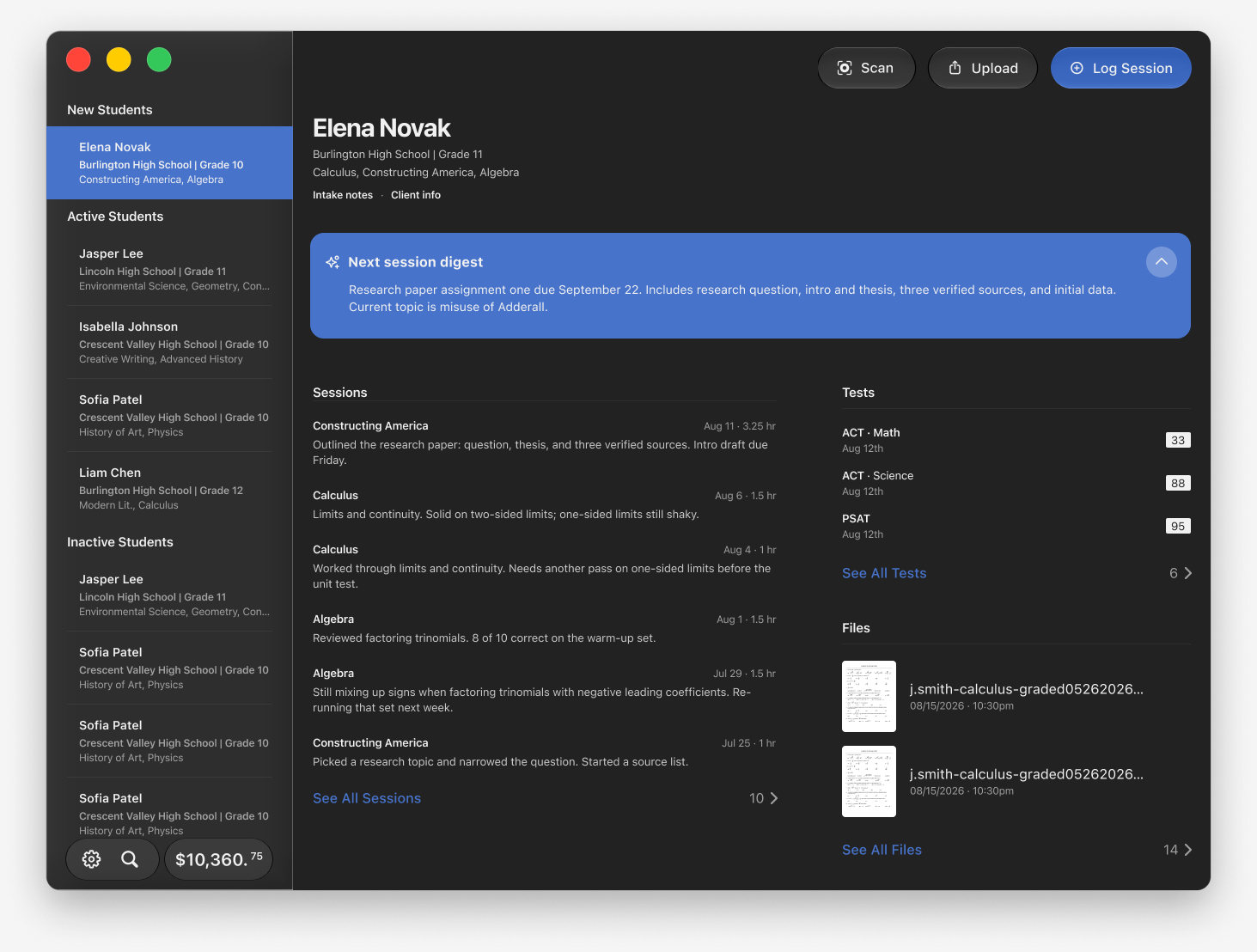
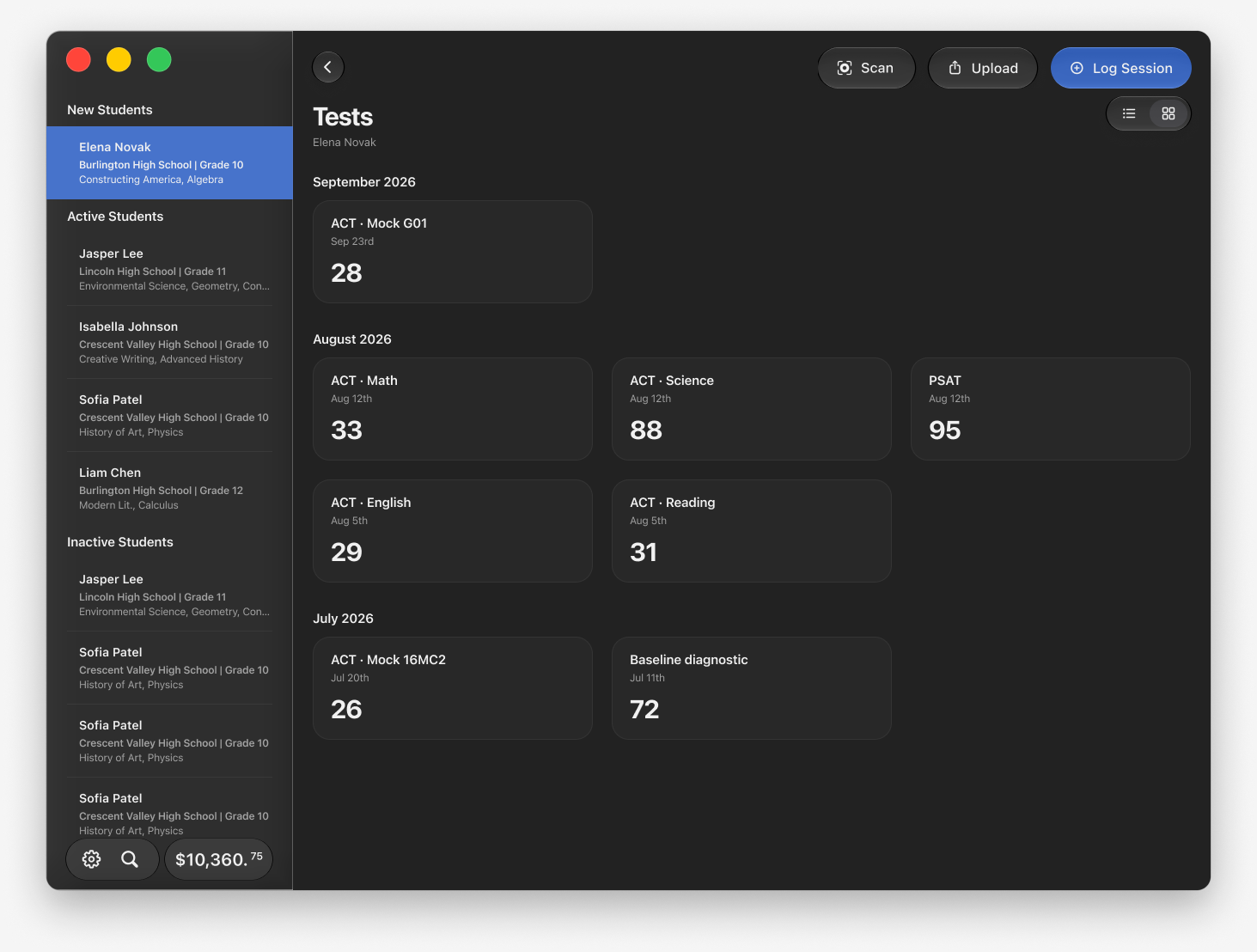
On the Mac the same work is done from a window: a sidebar of students with the payout at its foot, the record beside it, and Scan, Upload and Log Session in the toolbar. An answer sheet dropped on the record opens a grading view with the pages on the left and the bubbles on the right. The tutor fills in answers by click or keyboard while the preview follows the section, blanks are called out before scoring, and a summary confirms the details and recipients before the test lands on the record. A test prep history holds every ACT and SAT result in one table.
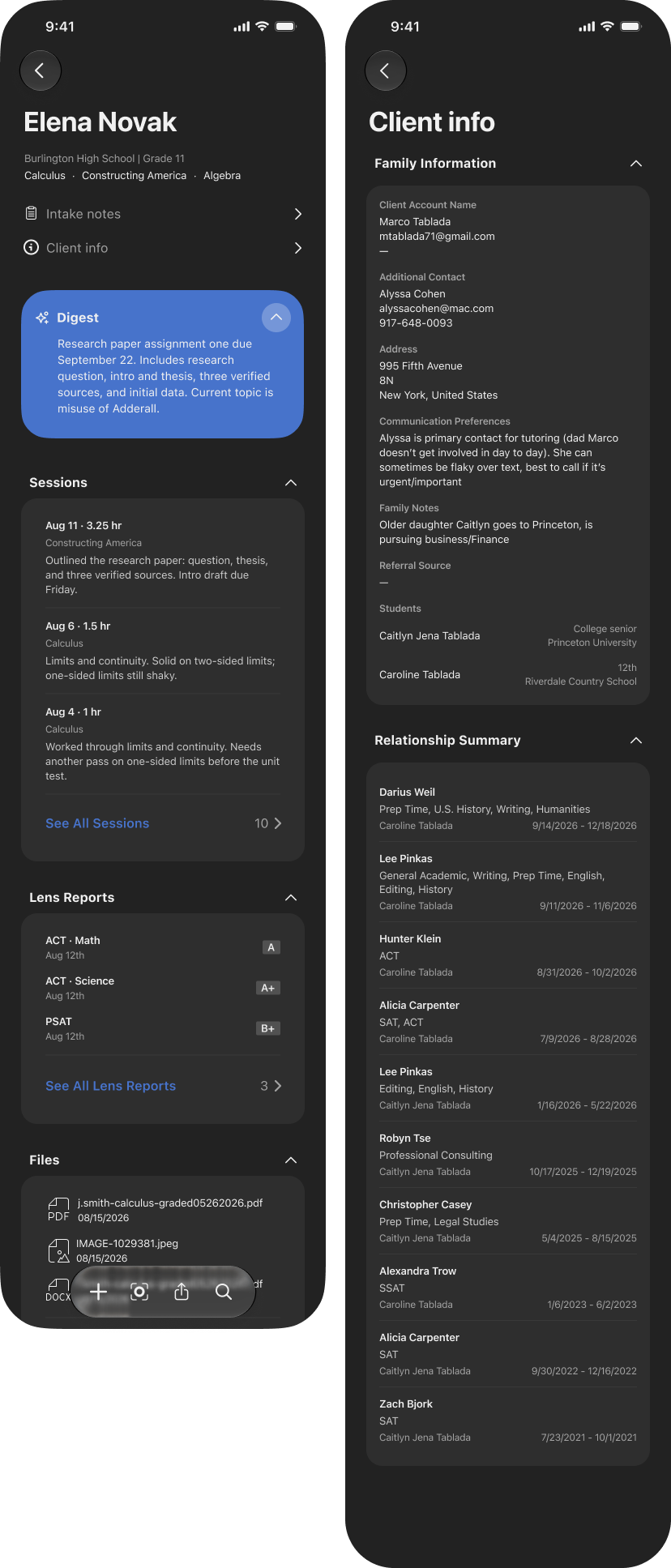
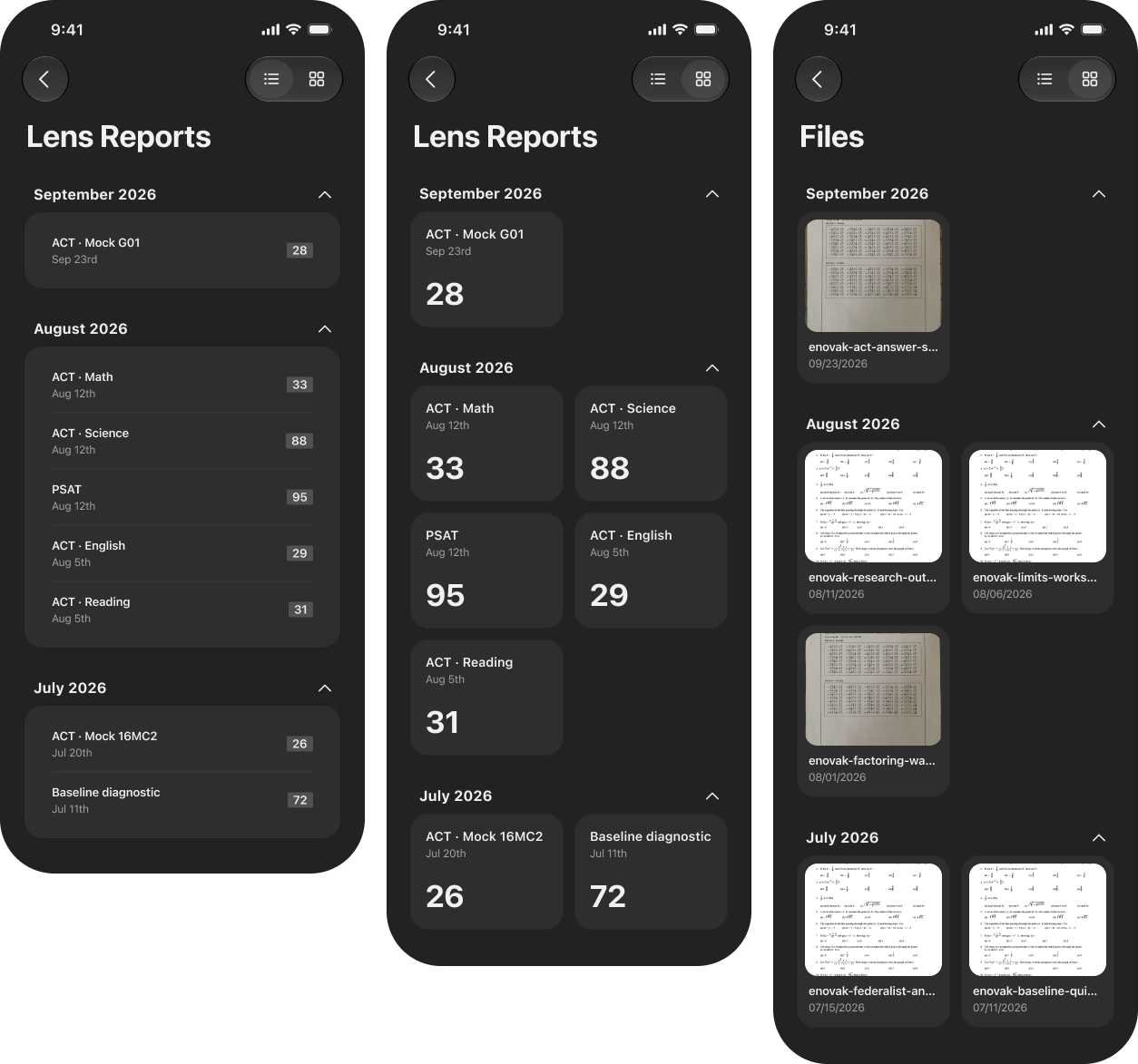
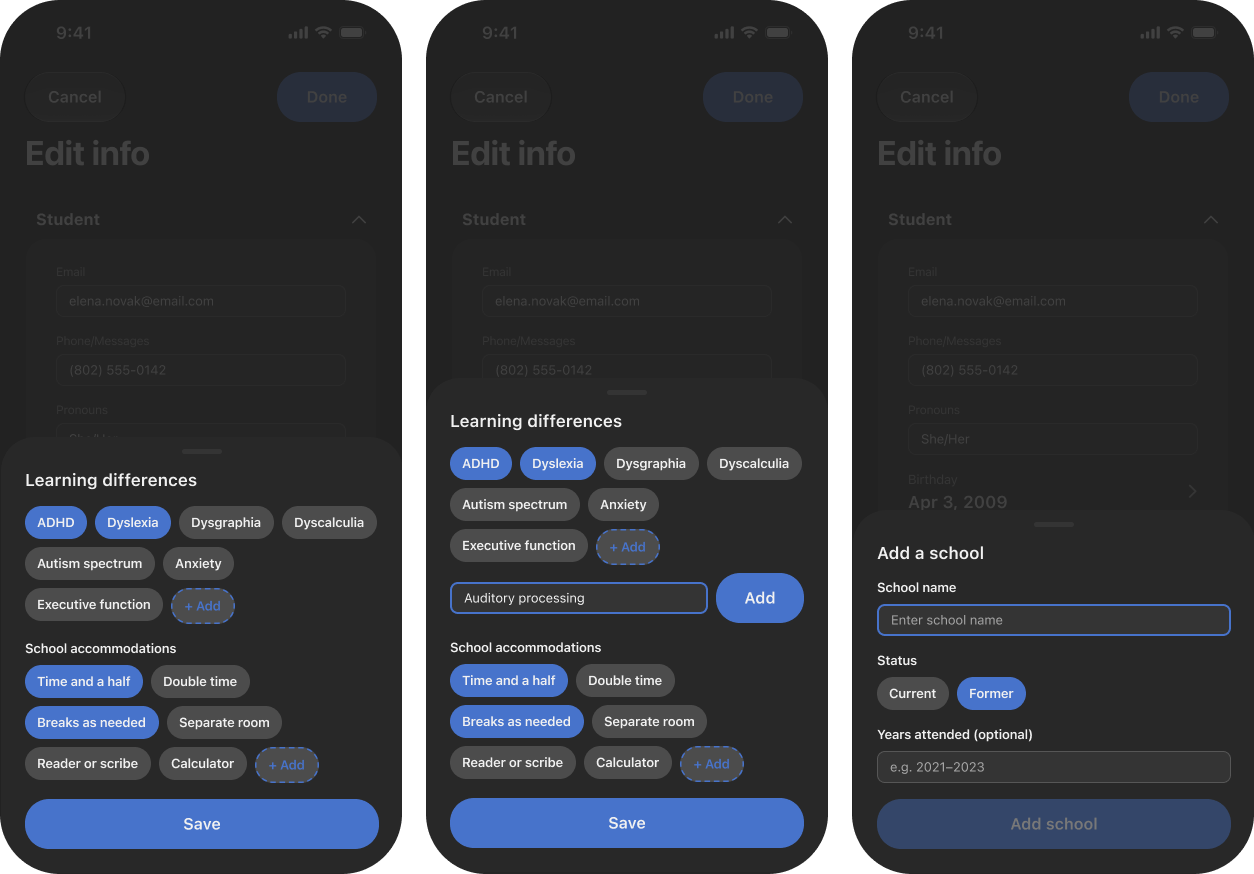
The student record puts everything a tutor needs before a session in one scroll: an AI digest of where things stand, the sessions, the Lens reports and the files, each with a list and a gallery view and a search scoped to the student. Client info holds the family: the account holder, the other contact, the address, how they prefer to be reached, and a summary of every tutor the family has worked with, built from the sessions and not editable. Learning differences and school accommodations are chips a tutor adds in a sheet. The AI digest and inference over session data are settings, each with the same line: session notes and files are always private.
A round with a tutor caught the small things. The file button read as Share, so the icon changed. Settings became a drawer off the dashboard so the scan-without-a-student entry could sit beside it. Radio rows became buttons that act on the tap. Every screen is drawn in light and dark, and the error and empty states were designed as a set against the list of ways the back end can fail, not discovered later.
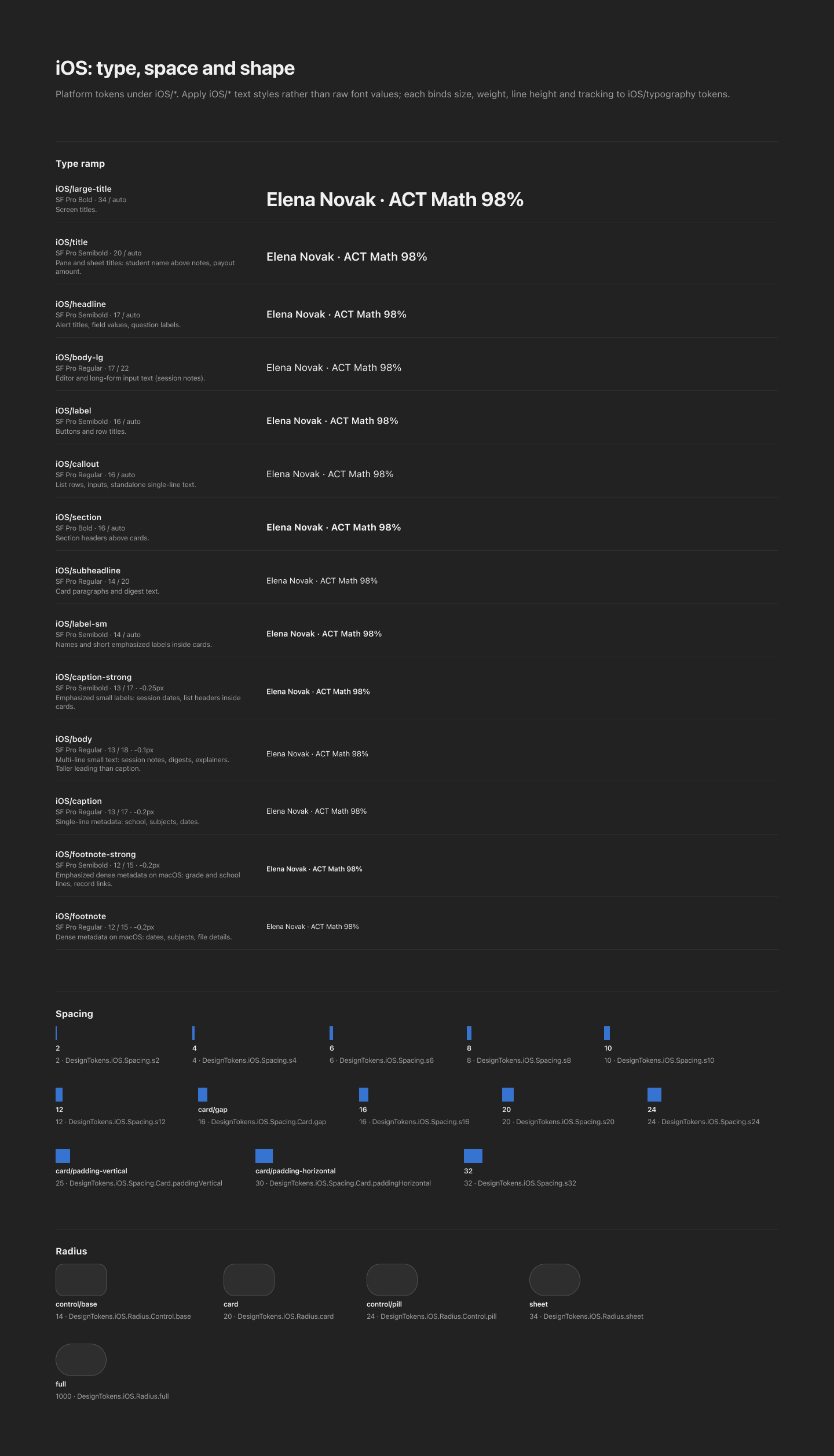
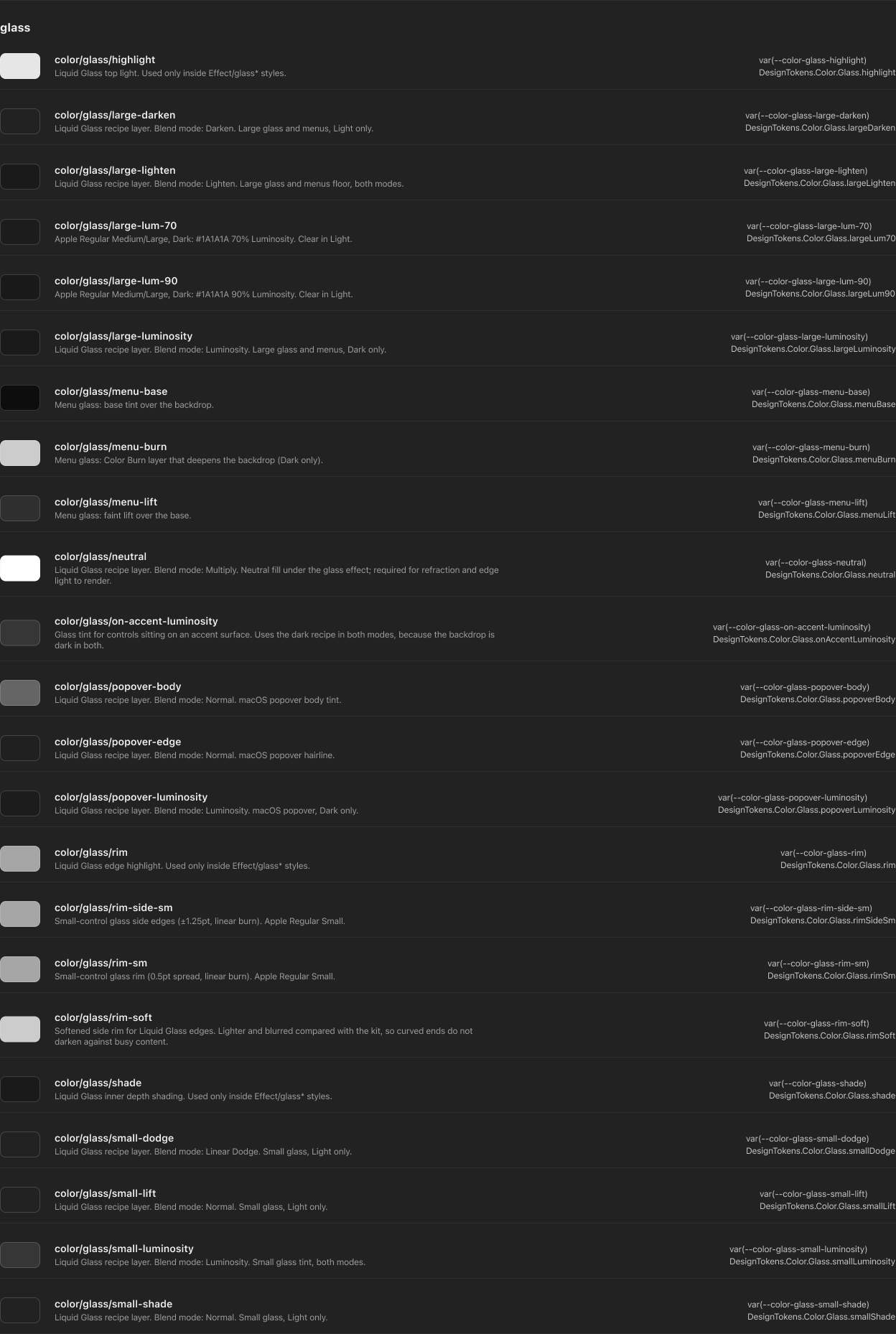
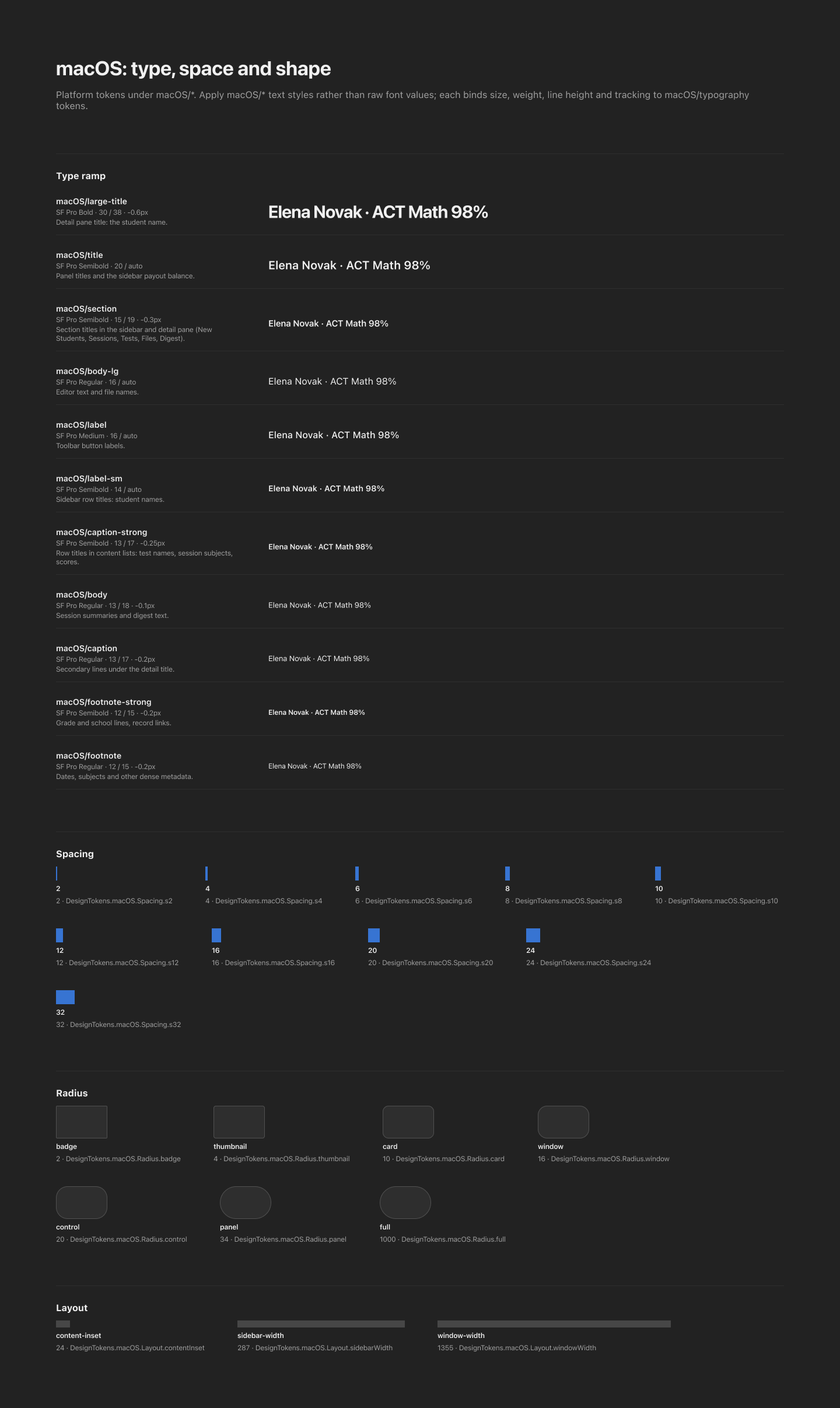
Under it all is a design system built from nothing for the contract: semantic color for light and dark, named by role; the layered recipes that make Liquid Glass work on iOS 27 and macOS 27, each layer’s blend mode documented; a type ramp per platform, bound to tokens; spacing, radius and layout, down to the Mac’s sidebar and window widths. Every token carries the name engineering reads it by, so the handoff is the file.
Outcome
Dev-ready files for iPhone and Mac, every screen in light and dark with its empty, offline and error states, and a token system engineering can read by name, delivered inside the contract’s window. For a 45-tutor firm whose selling point is the tutor, this is where that tutor’s work gets recorded, billed and turned into the next session’s plan.